> For the complete documentation index, see [llms.txt](https://docs.hackerfab.org/home/llms.txt). Markdown versions of documentation pages are available by appending `.md` to page URLs; this page is available as [Markdown](https://docs.hackerfab.org/home/standard-operating-procedures/sputtering-sop.md).
# Sputtering SOP
Guide to using the RF sputtering chamber. This is not a concise guide. You should understand the sputtering machine's design, function, and operating procedure well before interacting with it.
### Loading your chip and setting throw distance
1. Put on nitrile gloves to prevent getting skin oils on or in the chamber and other equipment.
2. Take the black frame from under the bench, and place it vertically in front of the chamber.
3. Wipe the top surface of the black frame with a clean room wipe to prevent transferring any contaminants to the top plate of the chamber.
4. Remove the top plate of the chamber and gently place it on the black frame, being careful to manage the gas lines and power lines attached to it.
5. To adjust the throw distance (distance between target and substrate), lift off the substrate plate and adjust the height of the 4 wing nuts used to support it.
6. You can use a bubble level (located in the red bin below the bench) to ensure that the wings nut support the substrate plate in a flat plane.
7. You can simply measure the distance between the substrate plate and target by using a ruler to look at the distance between the substrate plate and the top Viton gasket. The target surface sits 5/8" above the Viton gasket.
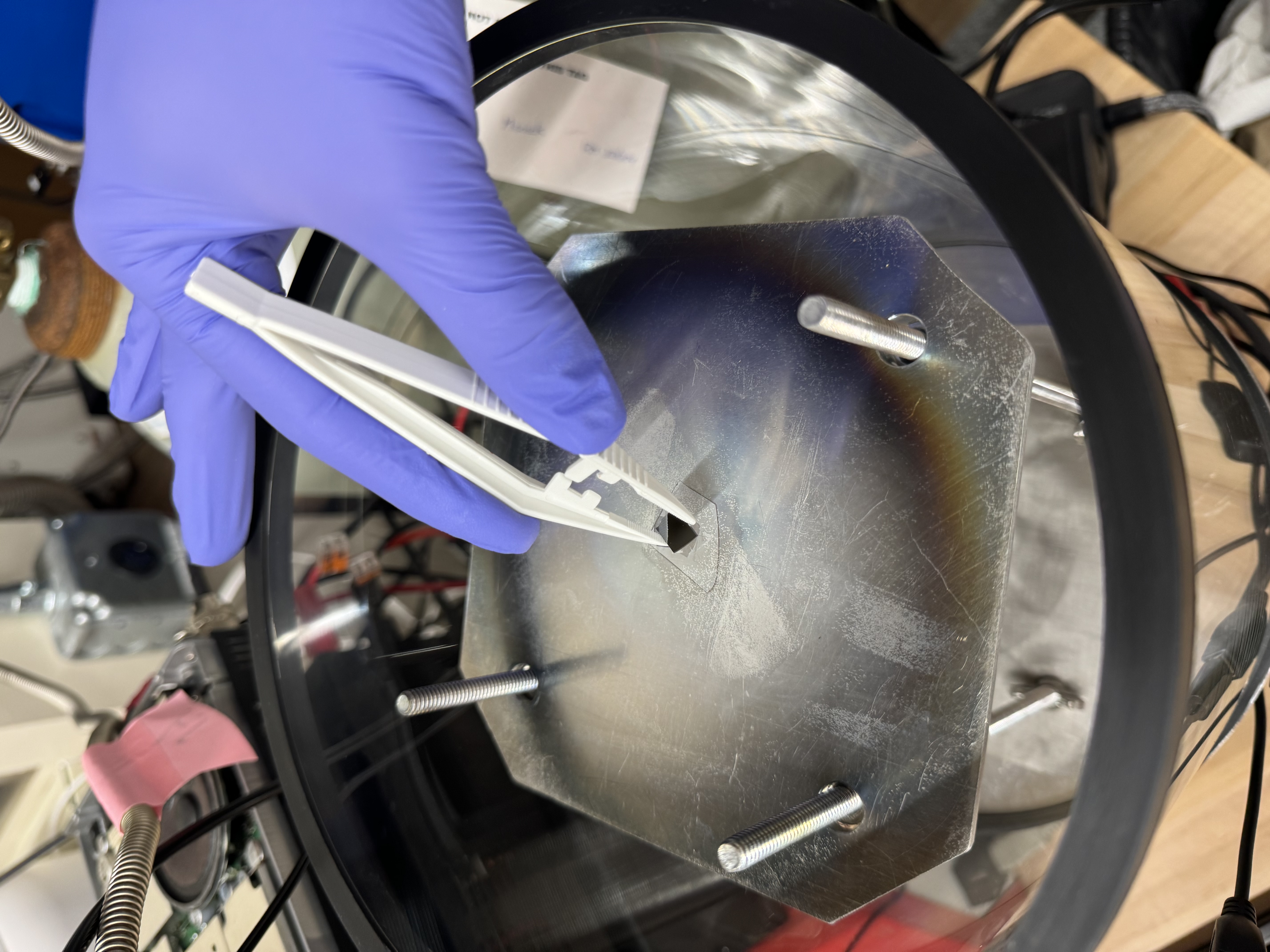
8. Place your chip in the center of the substrate plate.
9. Place the top plate back onto the chamber, being careful not to introduce any contamination to the sealing surfaces.
10. Ensure the red alligator clip is grounding the top plate to the pump; it often unclips during the chip loading process.
11. Do not leave the top plate off for extended periods of time, as contaminates can accumulate in the chamber.
### Pumping down
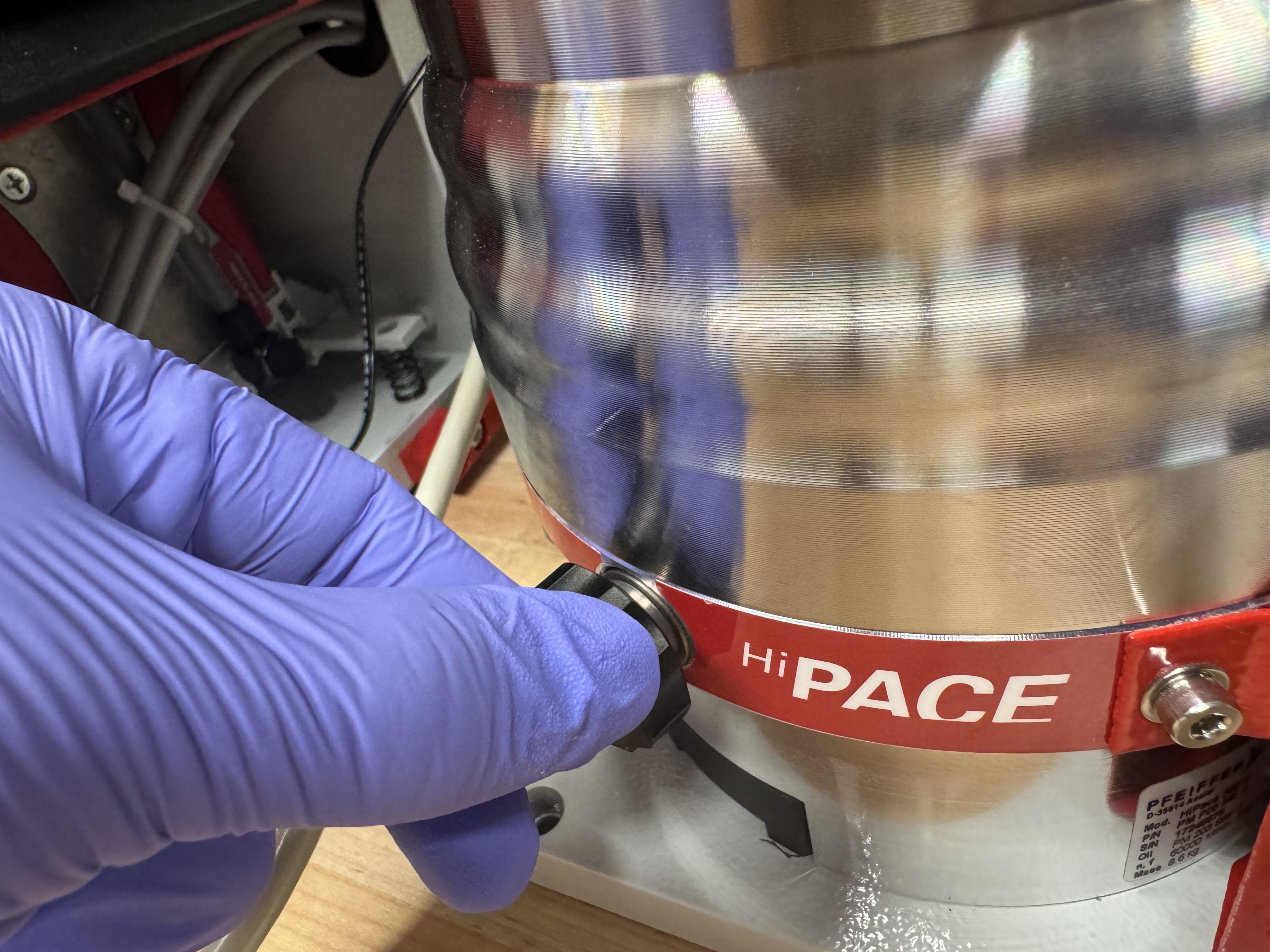
1. Ensure that the vent screw is hand tight. Do not over tighten.
2. Double check that both mass flow controllers are set to 0 SCCM.
3. On the digital control unit, use the arrows to scroll to parameter 707.
4. Set parameter 707 to 100% by simultaneously clicking both areas, then using right arrow to select 100%, then simultaneously clicking both arrows to set it at 100%. This sets the pump speed to its maximum value of 1000 Hz.
5. Use the arrows to scroll to parameter 340, which displays the pressure in hPa. Parameter 309, the pump speed in Hz, should also be visible on the DCU.
6. As the pump spins up to 1000Hz, ensure that the pressure is decreasing. It should reach the E-4 to E-5 range within a few minutes. It should also steadily speed up to 1000 Hz without getting stuck at any speed. If either of these happen, then something is wrong; you need to double check all your seals and consider if anything in the chamber could be outgassing. For example - alumina has very low outgassing but is porous, so if you exposed it to water, then the water will evaporate out of the alumina over an extended period of time.
7. Once the pump has reached 1000Hz smoothly, and chamber pressure is in the E-5 hPa range, it is time to wait \~24 hours for the pump to reach base pressure. This system is capable of 1.5 E-7 hPa, but may not reach it due to contamination build up in the chamber or ion-sealing surfaces. Ensure that the chamber reaches <5E-7 hPa before proceeding; otherwise, your films will not be high quality, especially films like aluminum that are very reactive with oxygen or water vapor.
### Reaching striking pressure and sputtering pressure
1. Open the argon cylinder all the way (lefty loosey!):
2. Ensure that the dual stage regulator has high pressure on the cylinder side and \~10-15 PSI on the chamber side.
3. On the Alicat mass flow controller, click the setpoint button, then use the select digit button, up button, and down button to set 10 SCCM. Hit the set button to actually begin flowing argon. Ensure that the MCF is flowing 10 +- .01 SCCM.
4. On the HiCube digital control unit, scroll to parameter 707.
5. Set parameter 707 to 100% by simultaneously clicking both areas, then using left arrow to select 25%, then simultaneously clicking both arrows to set it at 25%. This sets the pump speed to 250 Hz.
6. Use the arrows to scroll to parameter 340, which displays the pressure in hPa. Parameter 309, the pump speed, in Hz should also be visible on the DCU.
7. Once the pump reaches 250Hz, it is time to make a map of flow rate and chamber pressure before striking plasma. This is necessary because when the plasma is on, the RF noise can disrupt the communication between the pressure gauge and digital control unit, giving inaccurate pressure readings. Do this by setting the MFC to various setpoints between 5 and 50 SCCM Ar. The chamber at CMU usually has the following flow-to-pressure relationship. If you're using O2, you can do this same process, but by adjusting the Ar and O2 flow rate simutlaneaously to ustain a constant O2:Ar flow ratio.
| Flow SCCM | Pressure hPa |
| --------- | ------------ |
| 10 | 2.5E-3 |
| 20 | 6.3E-3 |
| 25 | 8.6E-3 |
| 30 | 1.2E-2 |
| 35 | 1.6E-2 |
| 40 | 1.9E-2 |
| 80 | 1E-1 |
8. Next, set Ar flow to approximately 80 sccm to achieve \~1E-1 hPa, which is the "striking pressure". Essentially, the electrical potential and pressure needed to strike a plasma are related through a non-monotonic curve, known as the Paschen curve. The goal is to strike the plasma at the minima of this curve. For our chamber, the minima of this curve has been experimentally determined to be near 1E-1 hPa.
### Striking the plasma, impedance matching, and depositing
1. Ensure that the substrate shutter is in the blocking position.
2. Double-check that the alligator clip is connecting the top and bottom.
3. Switch on the switching DC power supply. This should also power on the radio and the antenna tuner.
4. Ensure the radio is set to 14 MHz.
5. Turn the RF power on by taping the radio controller button down with a piece of tape as shown.
6. If the matching network has already been tuned for the target inside the chamber, then plasma will likely form immediately.
7. If plasma does not form, you will need to adjust the TR tune knob until plasma does form.
8. If plasma still is not striking, one of the following may be the issue: the pressure may be off, the magnetron and target may not be set right, or the ground and signal may be shorted.
9. Once the plasma is formed, use the TR tune knob to fine-tune the matching. The goal is to get the forward power > 90 watts, and the reflected power <10 watts. They do not always add up to 100.
10. Lower to your selected sputtering pressure.
11. Carefully nudge the TR tune knob to fine-tune impedance matching again. If the plasma goes out, reset the Ar flow to \~80 SCCM, and repeat steps 1-10.
12. Note, the plasma is not always very stable below 1E-2 hPa.
13. Wait 15 minutes to ensure the target surface has been cleaned by the plasma bombardment. Then turn the shutter righty-tighty until it is no longer blocking the magnetron hole. When turning the shutter, avoid putting lateral force on it, as this could break the seal and ruin your sputtering run along with damaging the pump.
14. Wait the intended dwell time.
15. Untape the radio controller to turn the plasma off.
### Shutting down and retrieving the chip
Basically do everything in reverse
1. Set both MFCs to 0 SCCM.
2. Close both Ar and O2 cylinders (righty-tighty!).
3. Turn off the pump.
4. Turn off the switching DC power supply.
5. Switch off all 3 fans.
6. Wait until the pump reaches 0 Hz.
7. Slowly unscrew the pump vent. No need to fully remove it.
8. Wait until chamber pressure reaches >1E-3 hPa.
9. Put the black frame on top of the table and set the top plate on it. It may difficult to remove the top plate. If so, grip the base of the pressure gauge and Ar MFC then tilt it off.
10. Retrieve your chip with tweezers.
11. Put the top plate back on.
---
# Agent Instructions
This documentation is published with GitBook. GitBook is the documentation platform designed so that both humans and AI agents can read, navigate, and reason over technical content effectively. Learn more at gitbook.com.
## Querying This Documentation
If you need additional information that is not directly available in this page, you can query the documentation by asking a question.
Perform an HTTP GET request on the following URL with the `ask` and `goal` query parameters:
```
GET https://docs.hackerfab.org/home/standard-operating-procedures/sputtering-sop.md?ask=&goal=
```
`ask` is the immediate question: it should be specific, self-contained, and written in natural language.
`goal` is what the user is ultimately trying to achieve, the reason they need the answer. Sharing it helps GitBook give you a better, more relevant answer. A goal is most helpful when it describes the outcome the user wants rather than restating the question. For example, with `ask=how do I create an API token`, a goal like `automate deployments from our CI pipeline` lets GitBook tailor the answer to that use case.
The response will contain a direct answer to the question and relevant excerpts and sources from the documentation.
Use this mechanism when the answer is not explicitly present in the current page, you need clarification or additional context, or you want to retrieve related documentation sections.